
One Wrong Tax Code Repeats for a Year
I was sitting in my office last Tuesday, staring at a literal shoebox of crumpled, faded thermal receipts that looked like they’d been pulled from a storm drain, and I realized something: most people are being sold a lie. You’ve probably seen the flashy ads promising that a specific piece of accounting software and tax setup will magically automate your entire life and make the CRA disappear. It’s nonsense. Software is just a tool, and if you haven’t configured your sales tax settings correctly from day one, you aren’t “automating” anything—you’re just automating your mistakes at a much higher speed.
I’m not here to sell you a subscription or walk you through a thousand-page manual that reads like a legal deposition. My goal is to give you the straight talk I wish my clients had heard three years before they finally sat down in my office, panicked, and handed me a pile of unorganized data. I’m going to show you how to actually structure your accounting software and tax setup so it works for your business, rather than becoming a second job you didn’t sign up for. We’re going to focus on practicality over hype, ensuring you stay compliant without losing your mind.
Why Your Chart of Accounts Setup Is Currently Sabotaging You
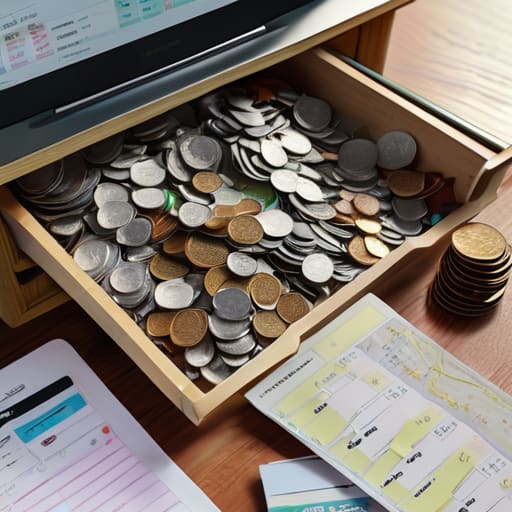
Most people treat their Chart of Accounts like a junk drawer. You know the one—you shove everything under “Miscellaneous” or “General Expenses” because it’s faster than actually thinking about where the money went. But here’s the problem: when tax season rolls around, that “Miscellaneous” bucket becomes a black hole. If your chart of accounts setup isn’t organized by how the CRA actually views your business, I end up spending three days untangling your life instead of just filing your return. You aren’t just making my job harder; you’re actively hiding the data you need to see if you’re actually making a profit.
If you’ve tried integrating tax modules into your software only to find that your sales tax isn’t even hitting the right accounts, you’re essentially driving a car with a broken dashboard. You might be moving, but you have no idea how much fuel you have left. A messy setup kills your financial reporting accuracy before you even realize there’s a problem. You need a structure that works for your daily workflow, not one that requires a forensic investigation every quarter.
The Hidden Cost of Poor Small Business Accounting Workflows
The real cost of a mess isn’t just the time you spend hunting for a missing receipt in a coffee-stained envelope; it’s the opportunity cost of everything else you aren’t doing. Every hour you spend manually reconciling a bank statement or trying to figure out why your HST doesn’t match your sales is an hour you aren’t growing your business or, frankly, enjoying your weekend. When your small business accounting workflows are broken, you aren’t just being “old school”—you’re essentially paying a “chaos tax” every single month.
Most of my clients come to me after they’ve realized that their manual process has finally hit a wall. They realize that financial reporting accuracy isn’t just a buzzword for people in suits; it’s the difference between knowing if you can actually afford that new piece of equipment or if you’re about to run a massive deficit. If you aren’t looking into automated bookkeeping configuration now, you’re just scheduling a future headache. I’ve seen too many owners realize this only when the CRA sends a letter that makes their stomach drop.
Five Ways to Stop Setting Yourself Up for a CRA Headache
- Stop using your personal bank account for business expenses. I know it feels easier to just swipe your Visa for everything, but trying to untangle your grocery run from your supply purchases at year-end is a nightmare I don’t want to walk through with you.
- Set up your sales tax codes in your software on day one. Don’t just “figure it out later.” If you’re collecting HST in Ontario but haven’t mapped your software to recognize it properly, you’re essentially holding the government’s money without realizing it.
- Automate your bank feeds, but don’t be lazy about reviewing them. A feed is a tool, not a magic wand. If you just let the transactions sit there un-categorized for six months, you aren’t “doing accounting,” you’re just collecting digital clutter.
- Map your tax categories to your actual business reality, not just the default settings. Most software comes with a generic setup, but if you’re a contractor in the Maritimes, your expense structure should look different than a retail shop in Toronto.
- Digitise your receipts as they happen. I have a mental list of the absolute worst shoeboxes I’ve ever seen, and trust me, you don’t want your business to end up on it. Use your phone to snap a photo the second you get that slip; it’s much easier than hunting for a crumpled thermal printout in your car three months later.
The Bottom Line Before You Close Your Books
Stop treating your Chart of Accounts like a junk drawer; if your categories are a mess, your tax reports will be a mess, and I can’t fix a foundation that’s built on guesswork.
Automate the boring stuff now, because manual data entry is where the expensive mistakes live, and “I forgot” is a phrase the CRA doesn’t accept as a valid excuse for missing filings.
Treat your accounting setup as a business tool, not a chore for tax season, so you actually have a clear picture of your cash flow instead of just a pile of receipts and a headache.
Stop Playing Catch-Up with Your Own Success
At the end of the day, getting your accounting software and tax setup right isn’t about being a math whiz; it’s about building a foundation that won’t crumble when the CRA comes knocking. We’ve talked about why a messy Chart of Accounts is a ticking time bomb and how broken workflows turn your “quick” admin tasks into a weekend-ruining nightmare. If you fix your setup now, you aren’t just organizing numbers—you are actually protecting your profit margins from being eaten alive by avoidable penalties and late fees. Don’t wait until you’re staring at a pile of unorganized digital chaos to realize that your software should be working for you, not the other way around.
Look, I know this stuff feels heavy and disconnected from the actual work you love doing. But remember: you didn’t start this business to become a part-time bookkeeper or a tax law scholar. By taking the time to get these systems dialed in today, you are buying yourself something much more valuable than a clean balance sheet—you are buying peace of mind. Get the setup right, automate what you can, and then get back to the parts of your business that actually make you excited to wake up in the morning. You’ve got a business to run, and I’d much rather see you growing it than fixing it.
Frequently Asked Questions
If I've already been using my current software for a year, is it worth the headache to rebuild my Chart of Accounts from scratch, or should I just keep patching the holes?
Look, I get it. Rebuilding feels like trying to sweep a curling rink mid-game. But if you’re just “patching the holes,” you aren’t fixing the plumbing; you’re just mopping up the flood. If your current setup makes your eyes glaze over every time you run a Profit & Loss statement, stop patching. Spend the weekend rebuilding it correctly. It’s a massive headache now, but it beats the migraine of a messy year-end.
How much of my time should actually be spent on the software itself versus just making sure I'm saving the right digital copies of my receipts?
Look, if you’re spending more than ten minutes a day fiddling with your software settings, you’re doing it wrong. The software is just a tool, not a hobby. Your real job is the paper trail—or the digital equivalent. Spend 90% of your effort ensuring your receipts are captured, clear, and categorized correctly. I’d much rather deal with a perfectly organized digital folder than a “masterfully configured” software setup that has no actual data behind it.
At what point does my business outgrow basic software and actually require me to hire someone like you to fix the mess?
Look, there’s a specific moment when “doing it yourself” stops being a way to save money and starts becoming a way to burn it. If you’re spending your Sunday nights staring at a spreadsheet, questioning if a coffee meeting was a legitimate expense, or if you’re terrified to open your tax portal because you don’t recognize your own numbers—that’s the sign. When the “mess” takes more time to fix than it does to earn the money, call me.